
Record less than you think
Newborn tracking fails when it becomes homework. Four things cover almost every question a parent or pediatrician asks in the first months: when each feed happened and how long (or which side), when sleep started and ended, wet and dirty diapers, and any measurement from a check-up. Everything else — moods, tummy time — is optional.
Make the entry one tap
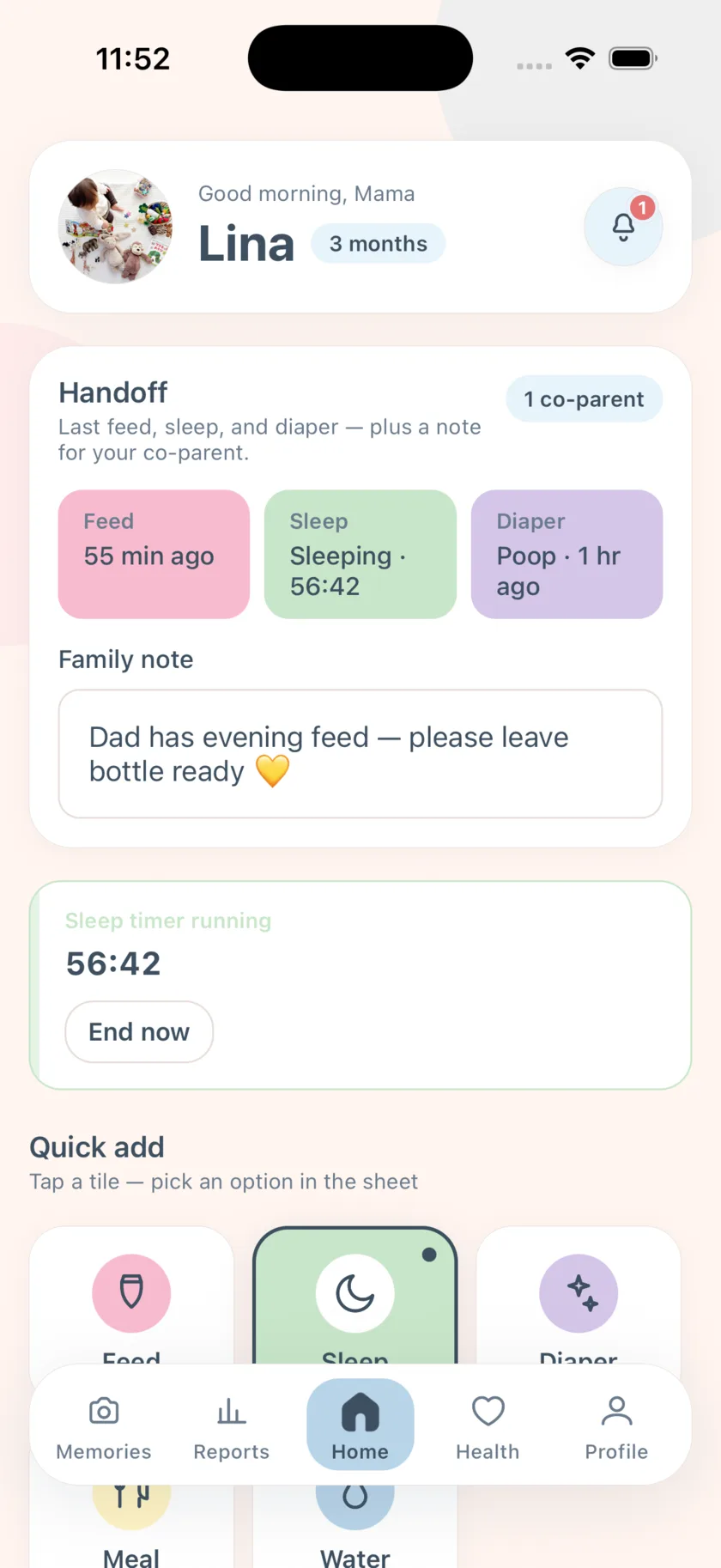
Whatever tool you use, the log must be faster than the thought “I will write it down later.” In EasyPeasyBaby, Feed, Sleep, and Diaper are tiles on the home screen and buttons on the home screen widget, so the entry is a tap rather than a form.
Read the week, not the day
Single days are noisy. The Reports tab totals the last seven days and draws a bar per day for feeds, sleep hours, and diapers — that is the view to look at when you wonder if something is changing, and the view to show a doctor.
Steps
Setup takes two minutes; every entry after that is one tap.
- Create the baby profile with the birth date
Age drives the nap and diaper reminders, so enter the real birth date. Add a photo if you like.
- Log feeds as they start
Tap Feed, then Left breast, Right breast, or Bottle. For a breastfeed, the timer runs on Home; tap the card to end it. Bottles log instantly.
- Tap Sleep when they fall asleep, and again when they wake
The sleep timer keeps running if you lock the phone. Ending it saves the nap length and starts the wake-window countdown for the next nap alert.
- Log diapers at the changing mat
Tap Diaper, then Pee, Poop, or Both. The next diaper-check reminder is spaced for your baby’s age.
- Turn on only the reminders you want
Profile → Settings → Reminders. Nap-soon, nap-time, diaper-check, and switch-sides are each optional local notifications.
- Check the Reports tab once a day
Look at totals and the daily bars, not at any single entry. Bring the week to appointments.
Frequently asked questions
How many days should I keep tracking?
As long as it is useful. Many parents log intensively in the first weeks, then keep only feeds and sleep as routines settle.
Should I wake up to log?
No. Log what you do while you are already awake; a missed entry is not a problem.
EasyPeasyBaby is a care log for parents, not a medical device. Wake windows, reminder intervals, and reports are general conveniences based on what you log — not medical advice. Talk to your pediatrician about your baby’s feeding, sleep, and growth.