
Timing sleep in one tap
Sleep is a single tile on Home. Tap it and a running “Sleep timer” card appears; tap again and choose End now to save the nap length. The timer survives switching apps or locking the phone, and it can also be started or ended from the home screen widget while the baby is in your arms.
- One-tap start and end for naps and night sleep
- Timer persists in the background
- Start or end sleep from the iOS/Android widget
- Last-sleep summary on the home screen
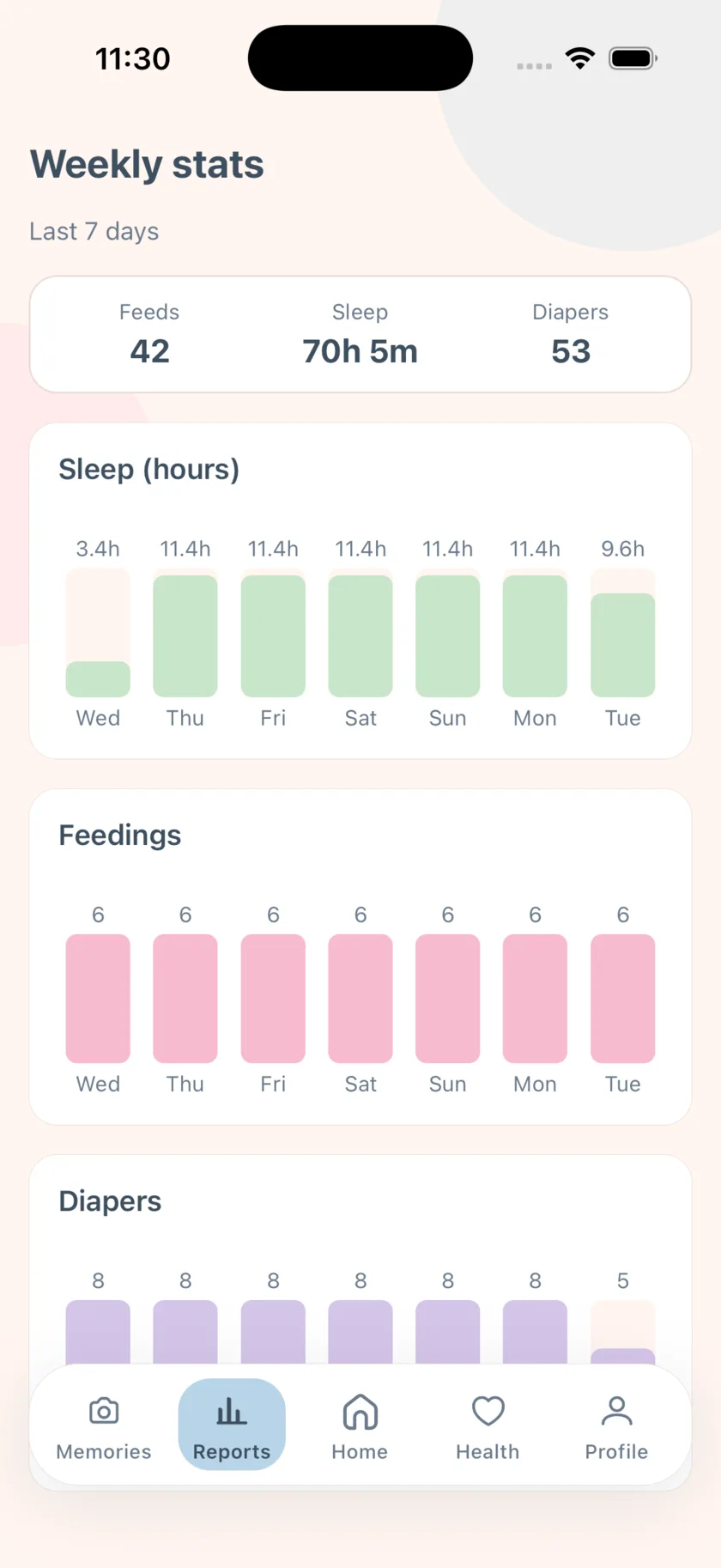
- Weekly sleep hours per day in Reports
Wake windows, explained by your baby’s age
A wake window is the stretch a baby is typically awake between sleeps. EasyPeasyBaby uses a simplified, age-based window — roughly an hour and a quarter for a newborn, growing to around three hours after the first birthday — and counts from the end of the last logged sleep. When the window is almost up, a banner appears on Home; when it is reached, the banner changes to nap time.
With Reminders on, the same two moments arrive as notifications: Nap soon about ten minutes before the window closes, and Nap time when it does. Every baby is different, so treat the alerts as a prompt to look for sleepy cues, not a rule.
The night shift, shared
On Family Premium the sleep timeline is live on both parents’ phones. Whoever settles the baby taps Sleep; the other sees the nap start and can get a push alert. Handoff notes cover what the other person needs to know at 6 a.m.
Comfort sounds for settling
The Comfort tab plays white noise and lullabies that keep playing in the background, so you can log a feed or check the timeline without stopping the sound.
Not a sleep training program
EasyPeasyBaby records sleep and prompts you from general, age-based windows. It does not prescribe schedules, does not diagnose sleep problems, and is not medical advice. If you are worried about your baby’s sleep, talk to your pediatrician.
Frequently asked questions
How does the app decide the wake window?
From your baby’s age (the birth date in the profile) and the end time of the last logged sleep, using simplified age-based ranges. It is guidance, not a prescription.
Can I log a nap I forgot to start?
Start the timer late and end it when they wake; the duration reflects the time from your tap. Sleep started from the widget is logged the same way.
Does the sleep tracker work offline?
Yes. Sleep starts and ends are saved locally and sync when you are back online.
Is there a sleep sounds feature?
Yes — white noise and lullabies in the Comfort tab, which keep playing while you use the rest of the app.
EasyPeasyBaby is a care log for parents, not a medical device. Wake windows, reminder intervals, and reports are general conveniences based on what you log — not medical advice. Talk to your pediatrician about your baby’s feeding, sleep, and growth.