
Why one shared log beats two
Two notebooks, or two apps, mean two versions of the day. A single shared timeline means the last feed on either phone is the actual last feed, whoever gave it, and the weekly totals include both parents’ shifts.
Editors and viewers
In EasyPeasyBaby an Editor can log; a Viewer can only see. Partners and nannies are usually editors; a grandparent who wants to check the last nap is a viewer.
The handoff note
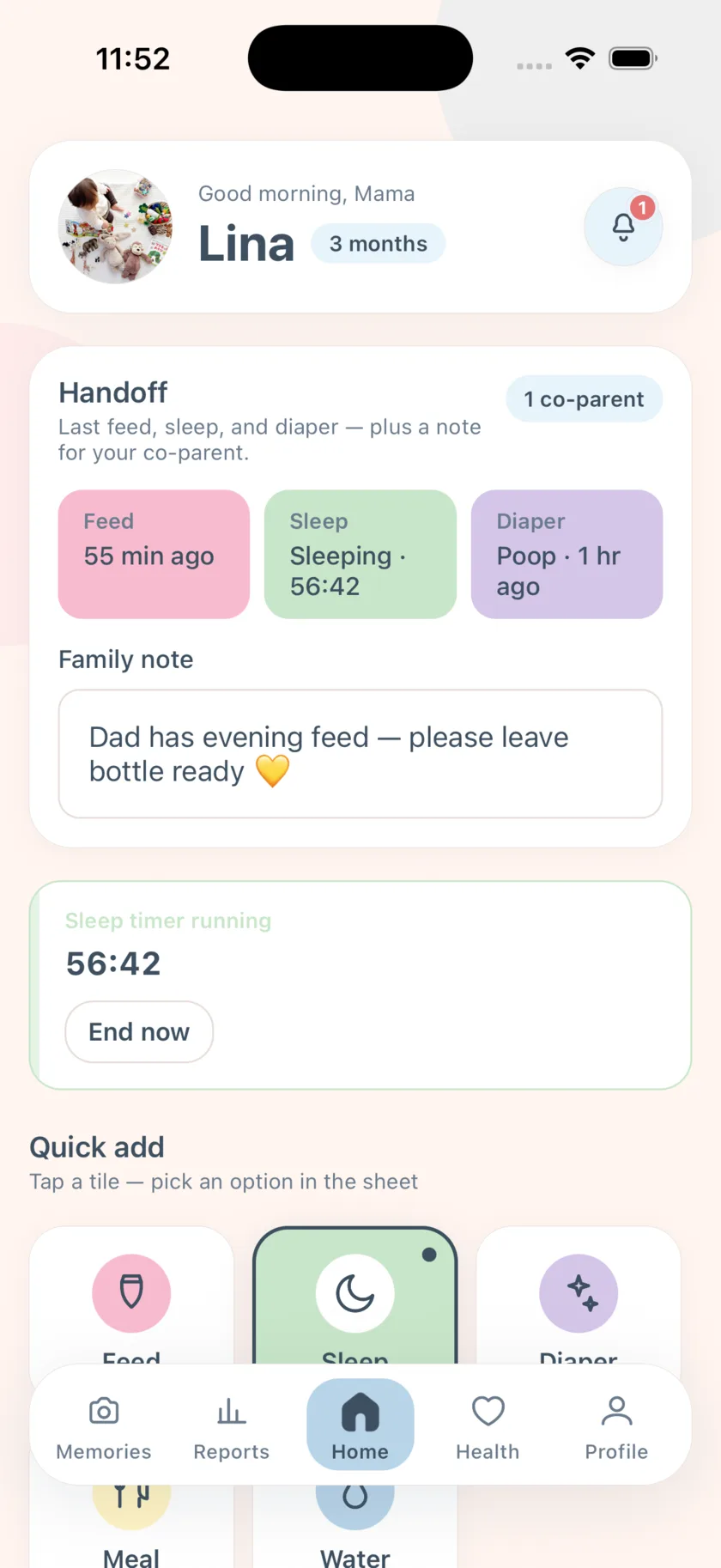
A family handoff note is where the details go that do not fit a tile: “half a bottle at 5, wants the yellow blanket”. Read it at shift change; update it as the day goes.
What it costs
Inviting a co-parent and the live shared timeline are Family Premium features — $4.99 a month with a 14-day trial for new accounts. Only the inviting account pays; accepting is free. All other tracking is free forever.
Steps
Five minutes on the first day; nothing afterwards.
- Pick the account that will invite
One parent creates the baby profile. That account needs an active trial or Family Premium to send invites.
- Send the invite link
Profile → Share account → Invite co-parent. Choose Editor for a partner or nanny, Viewer for read-only family. Share the link by Messages or WhatsApp.
- Accept on the other phone
Open the link; the app installs or opens. Sign up or sign in and the invite completes — the baby appears on Home.
- Turn on co-parent alerts
Profile → Settings → Co-parent activity. Each of you gets a push when the other logs a feed, sleep, or diaper.
- Agree on what to log
Keep it to feeds, sleep, diapers, and anything the doctor asks about. Whoever does it logs it, from the app or the widget.
- Use the handoff note at shift change
Write what the next person needs: last bottle amount, how the nap went, what to try next. Read it before you take over.
Frequently asked questions
Can each of us use the app in a different language?
Yes. One phone can be in Arabic and the other in French; the data is shared and alerts arrive in each phone’s language.
Does the second person need to pay?
No — accepting an invite is free. Only the inviting account needs an active trial or Family Premium.
EasyPeasyBaby is a care log for parents, not a medical device. Wake windows, reminder intervals, and reports are general conveniences based on what you log — not medical advice. Talk to your pediatrician about your baby’s feeding, sleep, and growth.