
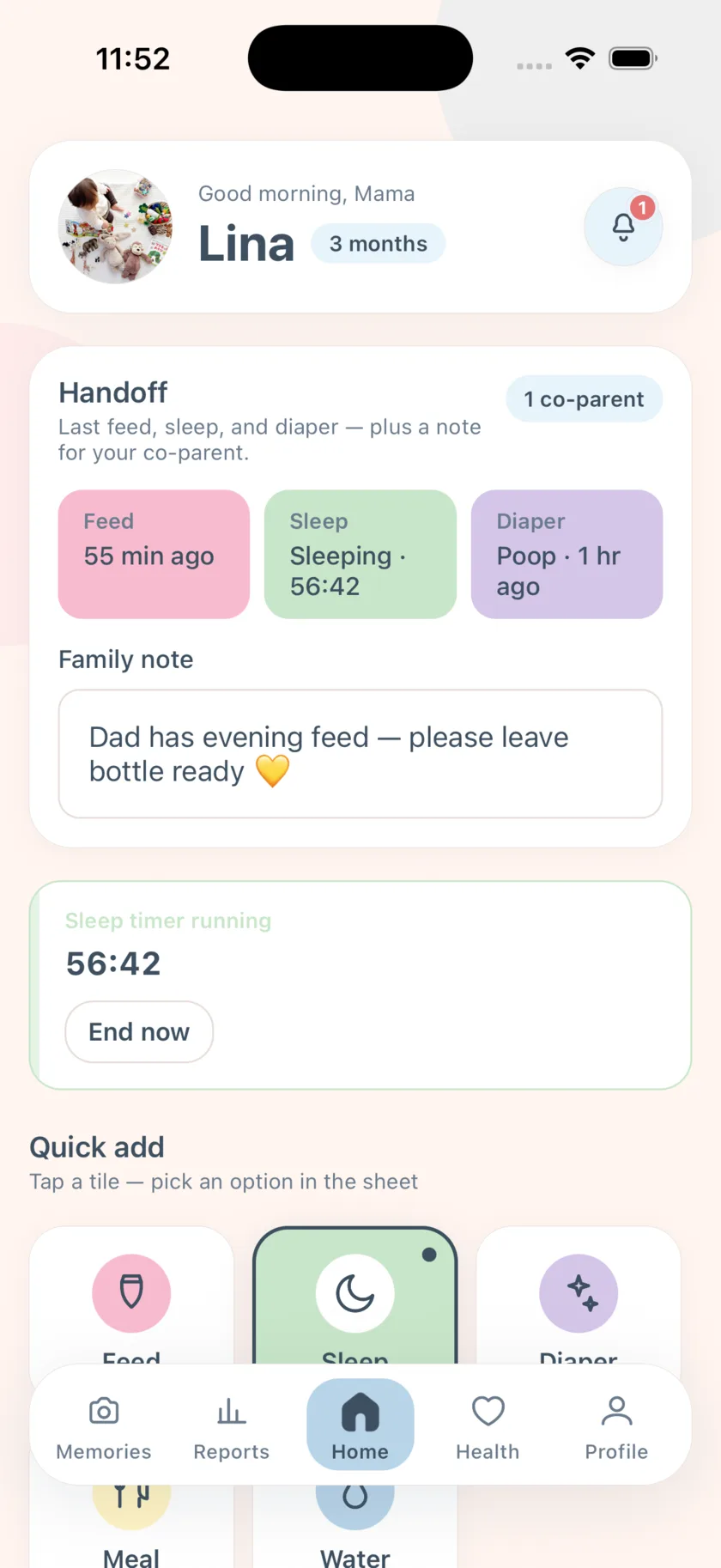
How sharing works
From Profile → Share account, tap Invite co-parent, choose Editor or Viewer, and share the link by Messages, WhatsApp, or anything else. Your partner opens it, signs in or signs up, and the baby appears on their Home. If they open the link before installing, the app remembers and completes the invite after sign-in.
- Secure invite link from Profile
- Editor (can log) or Viewer (read only) roles
- Real-time sync between phones
- Push alert when the other caregiver logs care
- Family handoff note for shift changes
Who did what last
The home screen shows the last feed, sleep, and diaper — and, because both of you log to the same record, it is always the actual last one, not the last one you happened to do. The Recent activity feed lists everything in order, so a returning parent can read the shift in thirty seconds.
Grandparents and nannies as viewers
A Viewer sees the timeline without being able to change it — good for a grandparent who wants to know when the last feed was, or a nanny handover where you want visibility without edits. Editors log as full participants.
Each phone in its own language
Sharing does not force a language. One parent can use the app in Arabic and the other in French; the baby data is the same, and push alerts arrive in each phone’s language.
Family Premium
Inviting a co-parent and the shared live timeline are the Family Premium features. New accounts start a 14-day trial; after that it is $4.99 a month, renewing automatically unless cancelled at least 24 hours before the period ends. Accepting an invite is free — only the inviting account needs Premium. Everything else in the app is free forever.
Frequently asked questions
Does my partner need to pay too?
No. The parent who sends the invite needs an active trial or Family Premium; accepting is free.
What stays free if I do not subscribe?
All of your own logging, reminders, comfort sounds, reports, health records, and memories. Co-parent invites and the shared live timeline are the Family Premium features.
Do both phones need to be online?
No. Each phone queues logs offline and syncs when it reconnects; the other phone sees them after that.
How do I manage or cancel the subscription?
In iOS Settings → Apple ID → Subscriptions. You can restore purchases at any time in the app.
EasyPeasyBaby is a care log for parents, not a medical device. Wake windows, reminder intervals, and reports are general conveniences based on what you log — not medical advice. Talk to your pediatrician about your baby’s feeding, sleep, and growth.